mtm2.com MTM2.COM
Log in
The Monster Truck Madness Guild
mtm2.com / mtmg
Truck Making 2 ▸
Painting 5 ▸
Texture Replacer 4 ▸
Finishing 4 ▸
The end 1 ▸
Tracked2 13 ▸
Downloads

Renaming the files

We will be working with several file types. Each type is found in specific folders. For example,

File Type    Folder       What is it

TRK          \truck       Contains all the truck information

BIN          \models      The truck body

RAW          \art         The paint on the truck

ACT          \art         Used by RAW files

BMP          \art         Used by Paint Shop Pro


  1. Select a TRK file as the base for your new truck, rename it to something new and unique. In this example, we will use BIGFOOT.TRK and name it DIRT.TRK.
  2. Start Notepad and open DIRT.TRK. Notice the name on the fourth line.

    MTM2 truckName
    Bigfoot
    truckModelBaseName
    bigfoot
    		

    This is the name of the truck model (the bin file). We will edit this later. For now, close notepad and find BIGFOOT.BIN and rename it to DIRT.BIN.
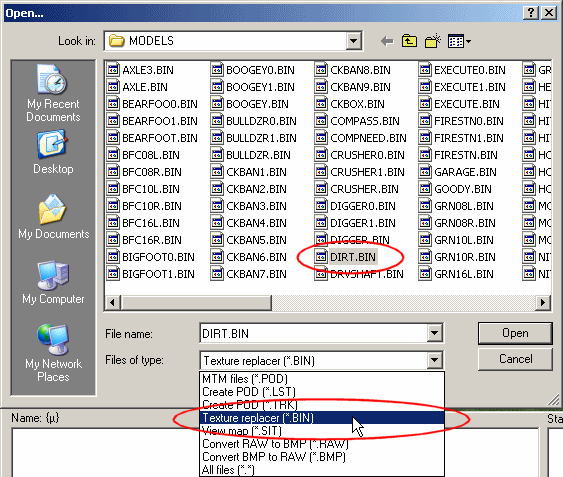
  3. Start C-Pod and open DIRT.BIN.
  4. Click for enlargement

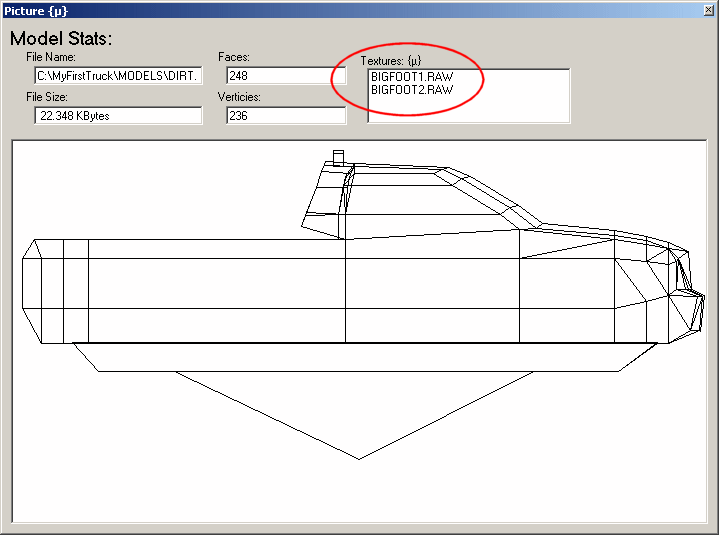
  5. Notice, and remember, the texture names at the top right of the window. They should be:

    BIGFOOT1.RAW
    BIGFOOT2.RAW
    			

    Click for enlargement

    Write it down if it helps.

  6. Close C-Pod.
Downloads Tracks Trucks Utilities C-Pod26 Podzip MTM 1 Tracks More Help MTMG Forum Partners Track Shots