Traxx lets you build your own tracks for Monster Truck Madness, versions 1 and 2 — laying roads, buildings, checkpoints and trees in a fully rendered 3D world, with a mouse, in a world of your making.
Traxx is freeware. The full version was a paid program when it was released, and was made free in 2005. Sincere thanks to everyone who registered it over those years — you all helped make Traxx what it is.
Traxx 1.6.5
This is the same Traxx, brought forward to the modern MTM2 engine. Not a
rewrite and not a fork — Bill Purvis's editor, still opening the same
.txx files, now able to author everything the updated engine can
draw.
Your old work still opens, and your new work still runs. Tracks made with any earlier Traxx load in this one, and tracks made with this one still run on the original 1998 game.
The one exception is deliberate: there is a checkbox to leave the legacy 8-bit art out of the pod for a smaller file. Tick it and the original game will not see the track at all — it stays hidden rather than loading with broken textures. The current engine is unaffected either way.
Modern art
Traxx imports PNG and TGA straight into the texture browser and packs
them into the pod alongside — or instead of — the legacy 8-bit
.RAW / .ACT pair.
- Tiles are no longer just 64×64 and 256×256. Any square power of two from 32 to 1024.
- Normal maps (
<stem>_N.png) and ambient occlusion maps (<stem>_AO.png) are packed automatically if Traxx finds them beside a texture. Drop the file in your art folder and it is carried into the pod — once, even where several objects share the same art.
You will not see those maps in the texture browser, and that is
deliberate. Traxx leaves _N and _AO files out of the
lists you paint terrain from — a normal map is not something you paint with,
and it would only be in the way. It still packs them. So if you drop one in and it
does not appear, nothing is wrong: it is found at pod-build time, not at paint
time.
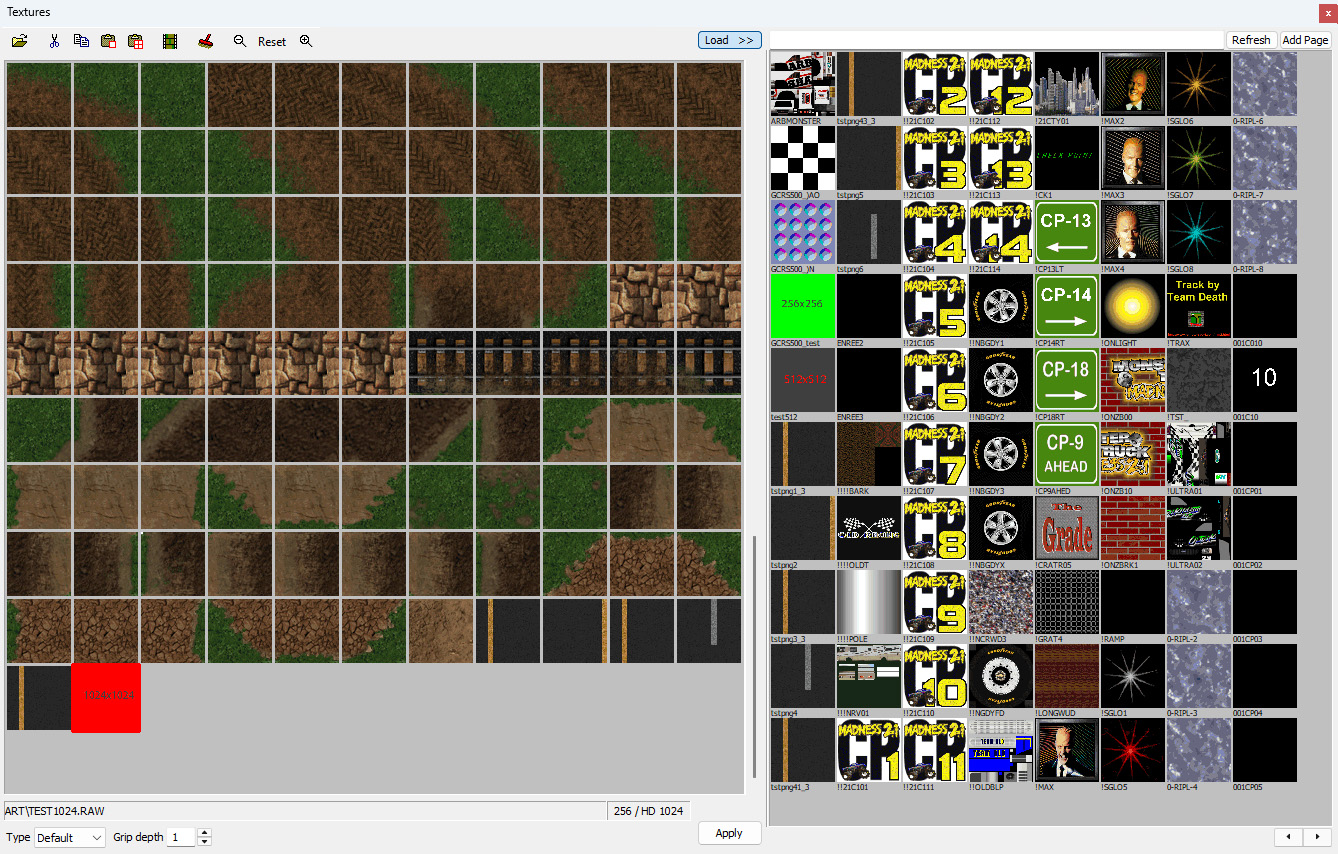
ART\TEST1024.RAW selected. The
size field reads 256 / HD 1024 — the 8-bit tile the
legacy renderers get, beside the 1024 source that ships for DX11 and Vulkan. The
thumbnails cannot show you that; this field is where the program says it.Terrain detail and a painted mask
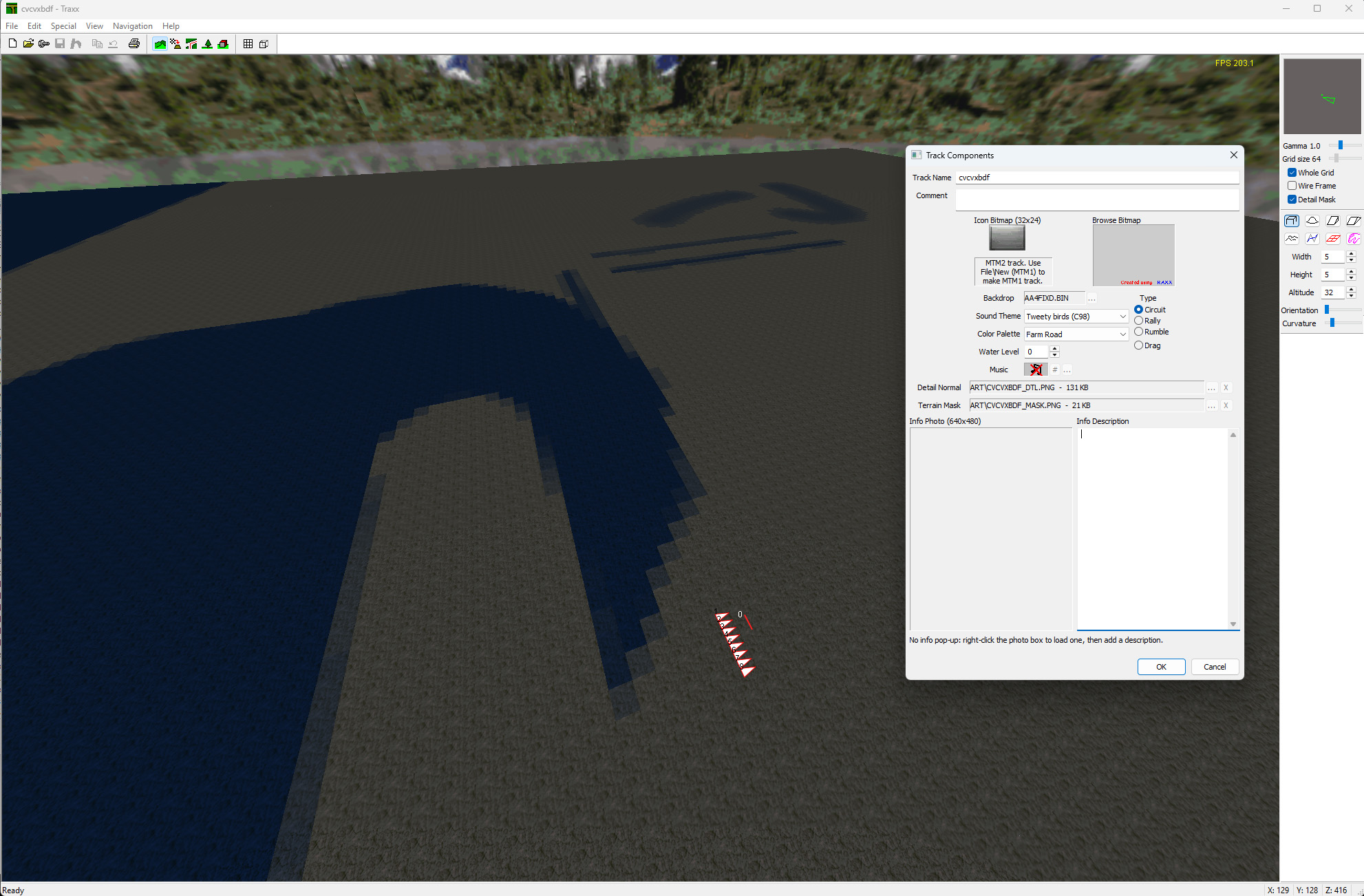
The headline of 1.6.5, and two new rows in Track Components — browsed and cleared like the backdrop or the info photo.
- The mask is a greyscale top-down image saying where terrain relief appears and how strongly.
- The detail normal says what that relief looks like.
They pack as ART\<stem>_DTL.png and
ART\<stem>_MASK.png, which is the whole point: without this you
would have to repack a pod by hand to use the feature at all.
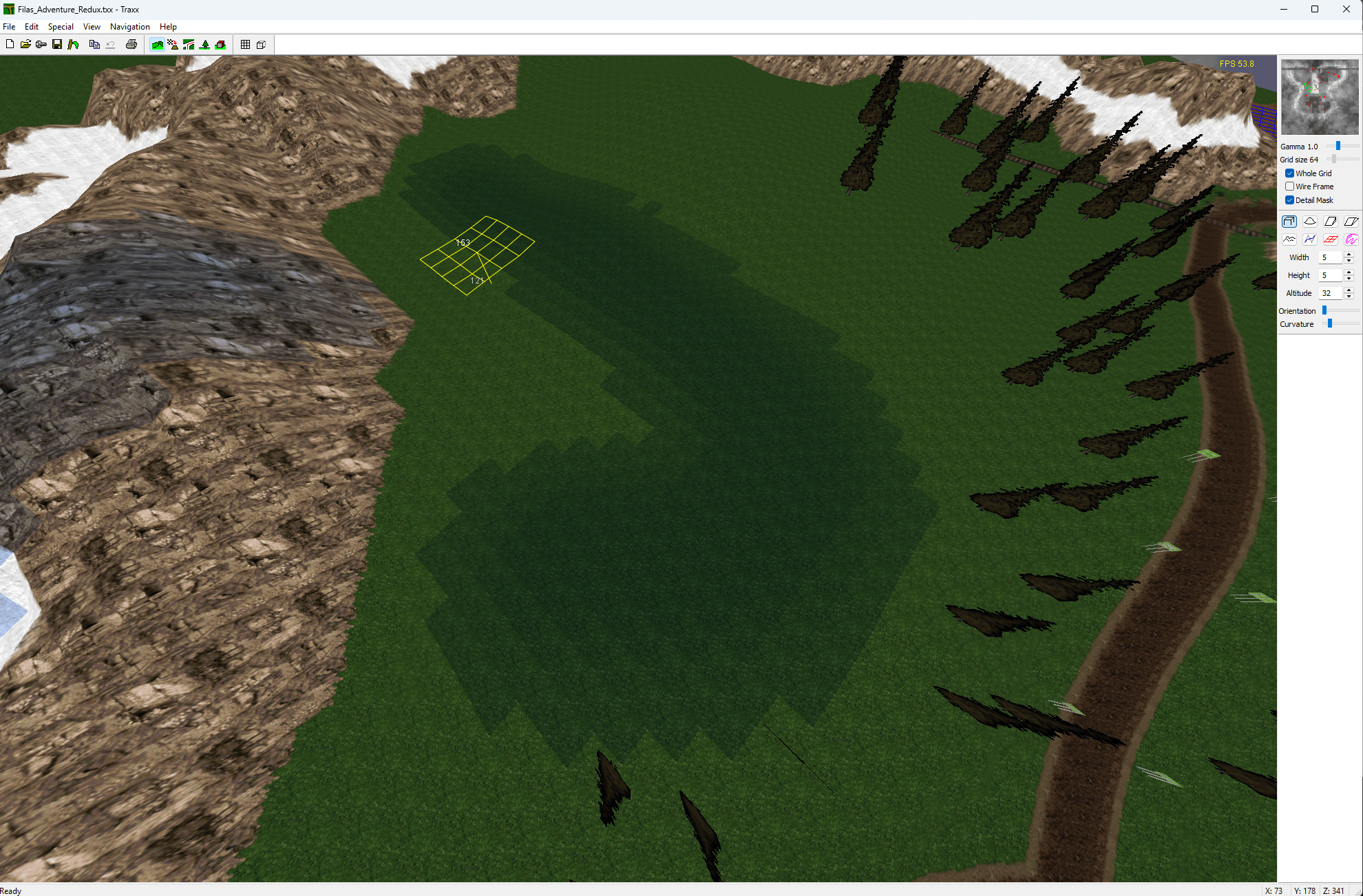
And you can see the mask on the ground while you work. Switch on Detail Mask and the painted areas are washed over the terrain in the 3D view, at the strength you painted them. Without it, authoring a mask means painting blind in an image editor and loading the game to find out where it landed; this closes that loop inside Traxx.
It is deliberately indicative rather than a reproduction of the engine's shader. The question it answers is “did I paint the right places” — and a preview that disagreed with the game would be worse than no preview at all. OpenGL view only.
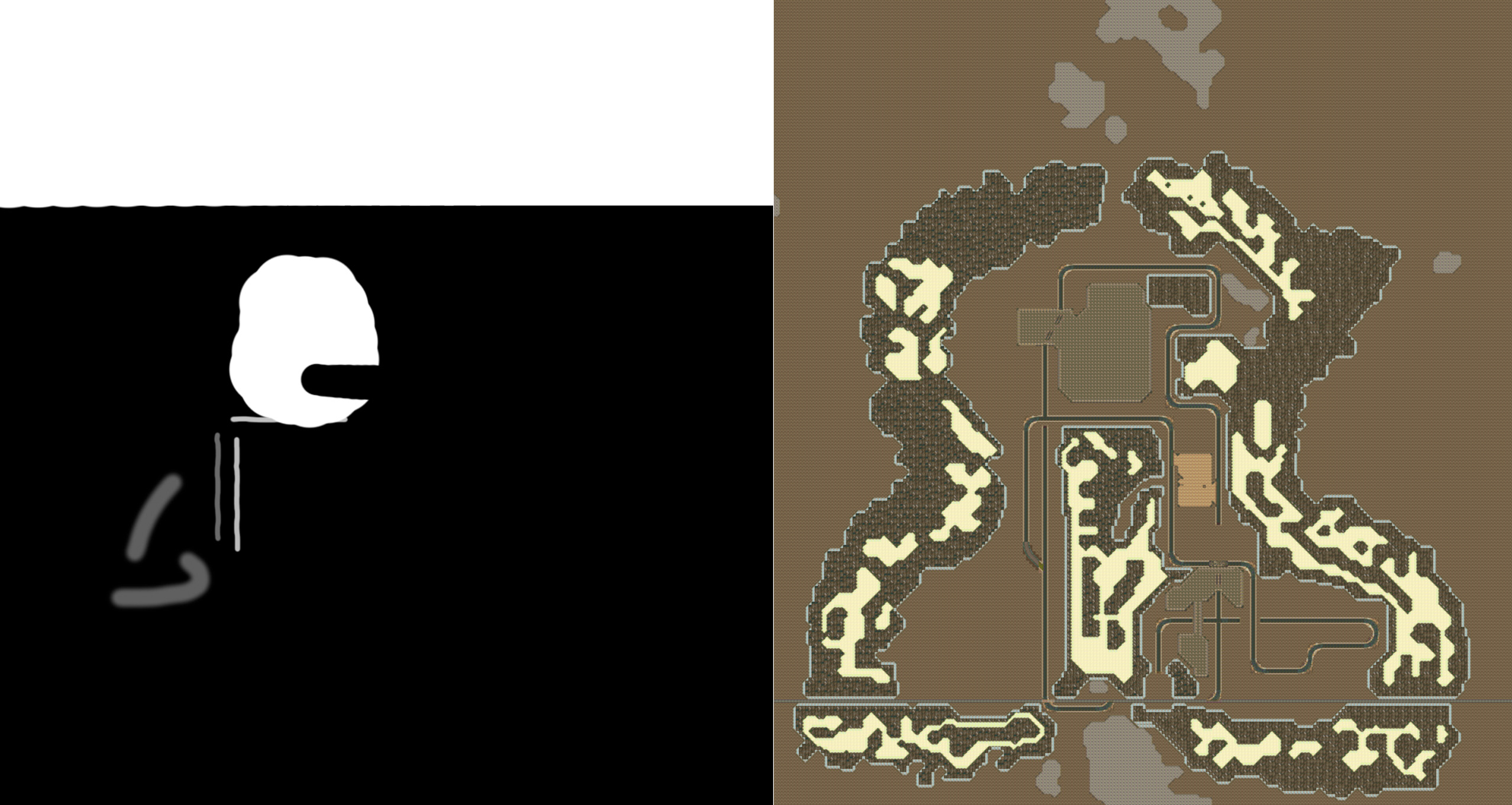
Traxx checks them as they load and ignores any that fail — oversized detail maps, sizes that are not a power of two, and the important one, a mask that is not greyscale. That last is the mistake that looks perfectly correct in an image editor and wrong in the game. A file that does not pass is simply not used, so if the ground looks untouched, check the map before you check the track.
DirectX 11 and Vulkan only. The DX9 renderer draws the track without terrain detail and is not scheduled to gain it. The engine-side settings live with the Community Patch, which is where the numbers are kept.
Things the engine gained, that you can now place
Lights
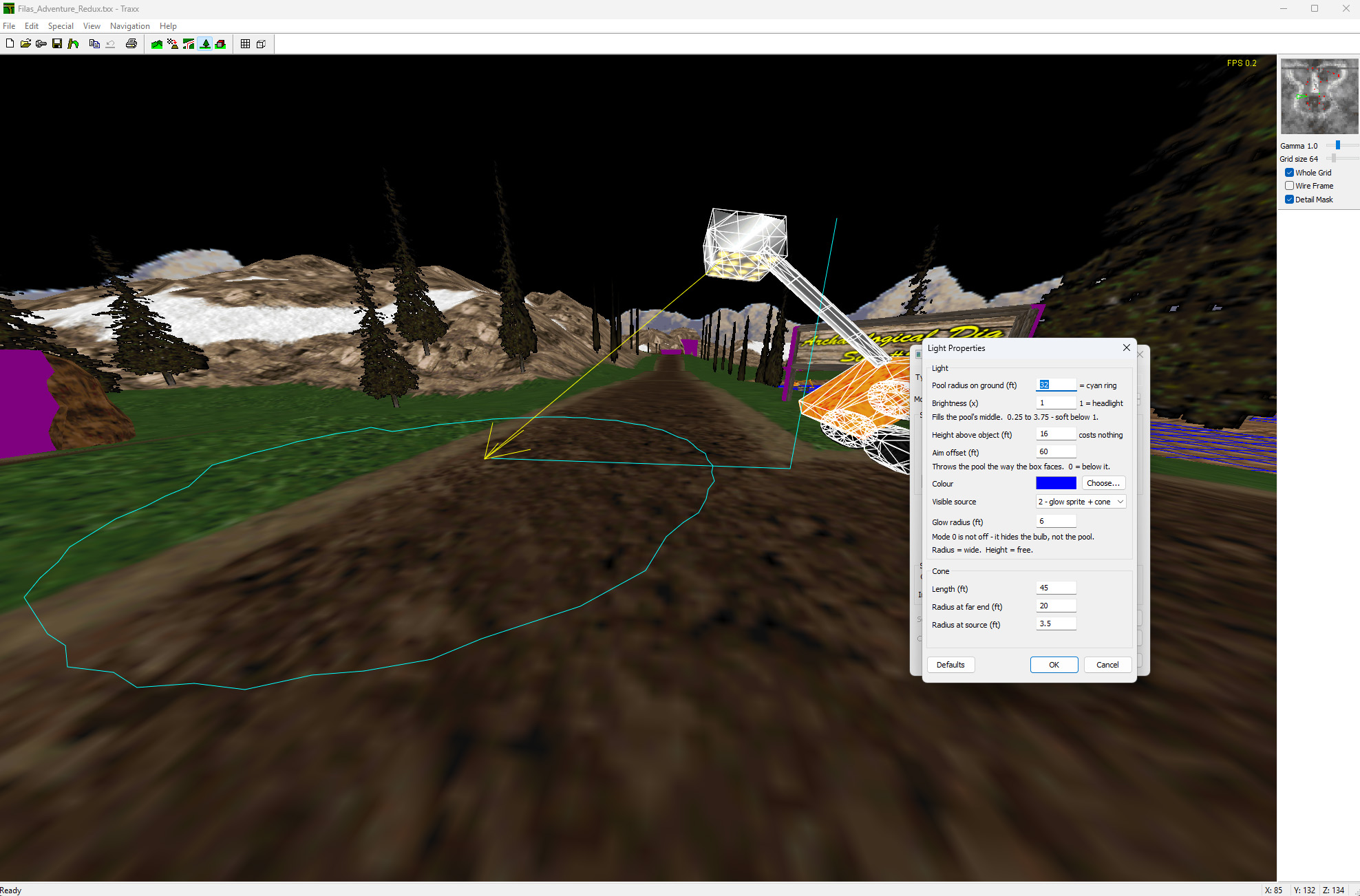
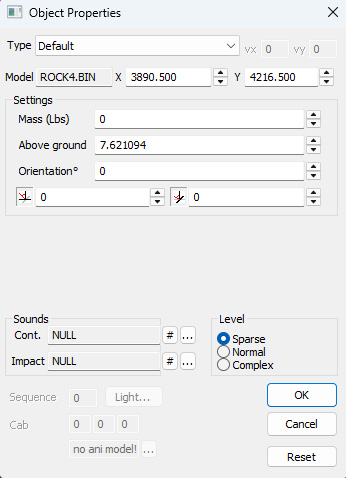
A light attaches to a model, and takes its aim from the box the model sits on. You set the radius of the pool it throws on the ground, its brightness — 1 is a headlight — the height above the object, an aim offset, a colour, and the length and spread of the cone.
Traxx draws both while you are editing: the pool as a cyan ring on the ground and the aim as a line out to it. Neither ships in the pod — they are there so you can place the thing.
The fixture and the light are separate jobs. The light is the beam and the pool, nothing else — no lamp model comes with it. You place whatever model looks like the fixture you want, and then attach a light to it here, in Traxx, and aim it. Nothing has to be done to the model itself: any model can carry a light, so the same one serves a streetlamp, a floodlight rig or a lit sign depending only on what you parked underneath it.
And the rest
- Moving boxes, the second new scenery box type.
- Top-crush objects, authored properly — both halves drawn the way the engine renders them, and the cap raised to 100.
- Ramps can carry a model. MTM1 tracks always did this and the MTM2 engine renders it, but Traxx used to drop the model name on load and turn such a ramp into a plain wedge when you saved. It round-trips now, and you can assign a model to a ramp deliberately.
Room to work
| was | now | |
|---|---|---|
| Textures | 512 | 1024 |
| Model textures | 1024 | 4096 |
| Models | 256 | 4096 |
| Scenery objects | 600 | 4096 |
| Sounds | 256 | 512 |
| Top-crush objects | 10 | 100 |
Filenames are no longer 8.3. Names you make run to 18 characters, and a name too long for that is refused where you type it — naming the limit — rather than being quietly truncated later into something that collides.
Eighteen is not what the pod format can hold. A pod entry has room for 23 characters of texture name and 20 of track name; 18 is what Traxx, BinEdit and C-Pod all agreed to hold to, so a name one of them accepts is never truncated by another — which is a broken track found by whoever opens it next. The format could take more; agreeing not to use it is what makes the guarantee. It caps what Traxx creates, not what it reads: a track already carrying a 19 or 20 character stem still opens, and still saves under the name it has.
The editor itself
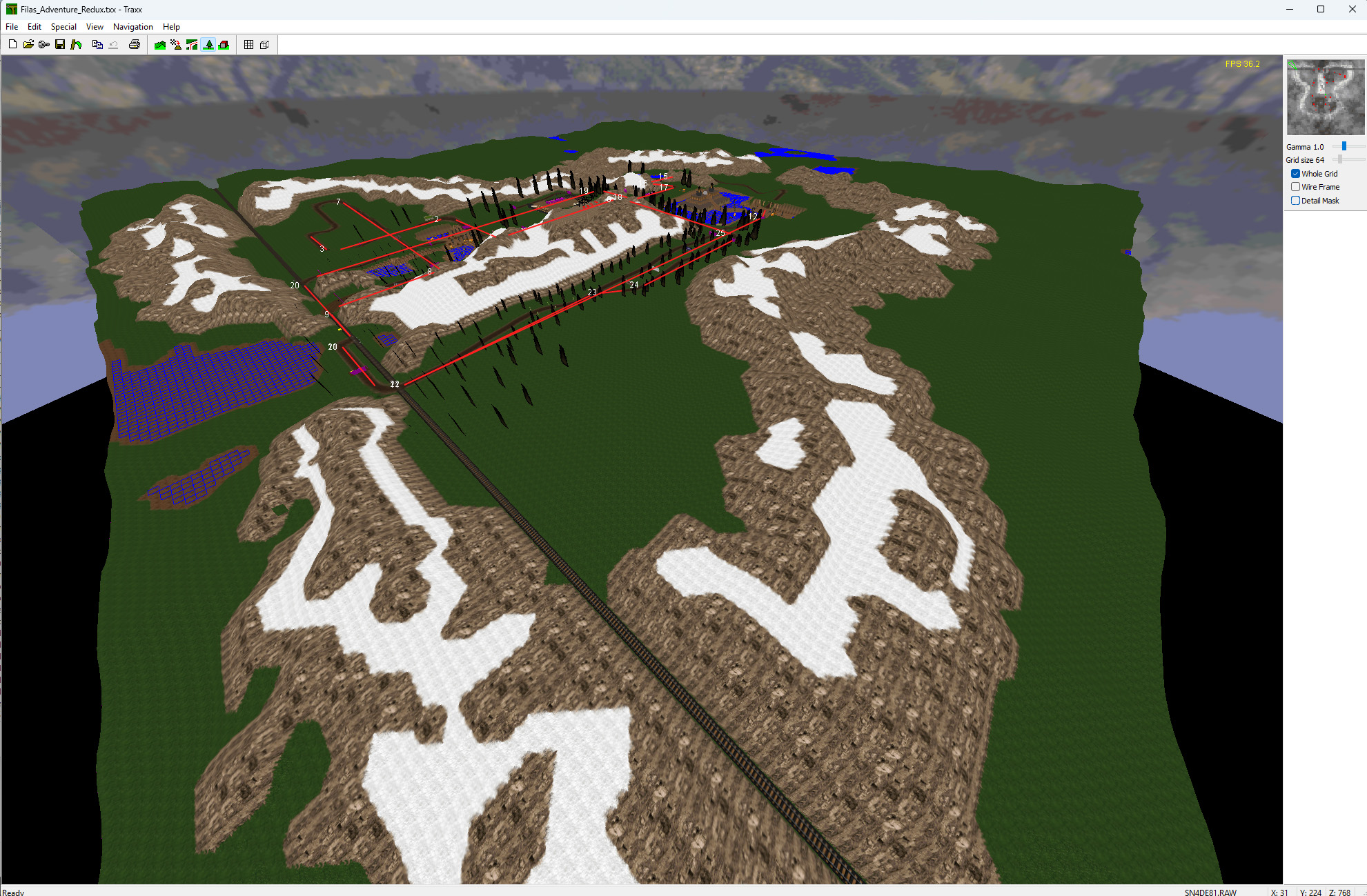
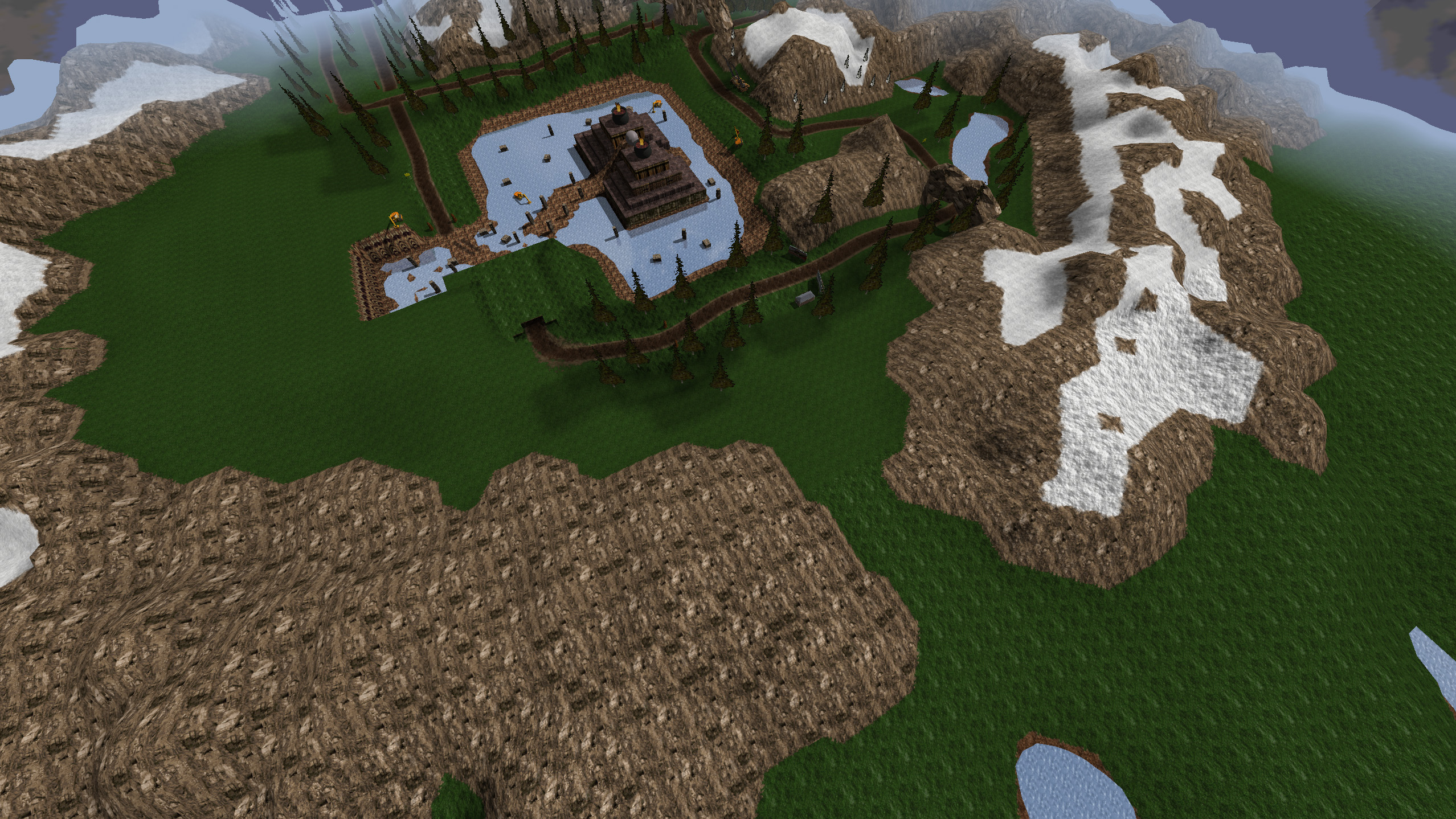
The whole map on screen at once. The old software renderer only ever drew a camera-centred window of the terrain, sized by the grid-size setting — the full 256×256 was never visible, at any setting, in any version. Switch on Whole Grid and every tile is drawn wherever the camera happens to be, so you can see the shape of the whole track and find what you are looking for without flying to it. If you used Traxx before, this is the one you will notice first — and it is the picture at the top of this page.
- An OpenGL renderer for the 3D view, written by Kmaster. The software renderer is still there.
- Windows that resize and remember it between sessions: Textures, Models, Track Components, Object Properties.
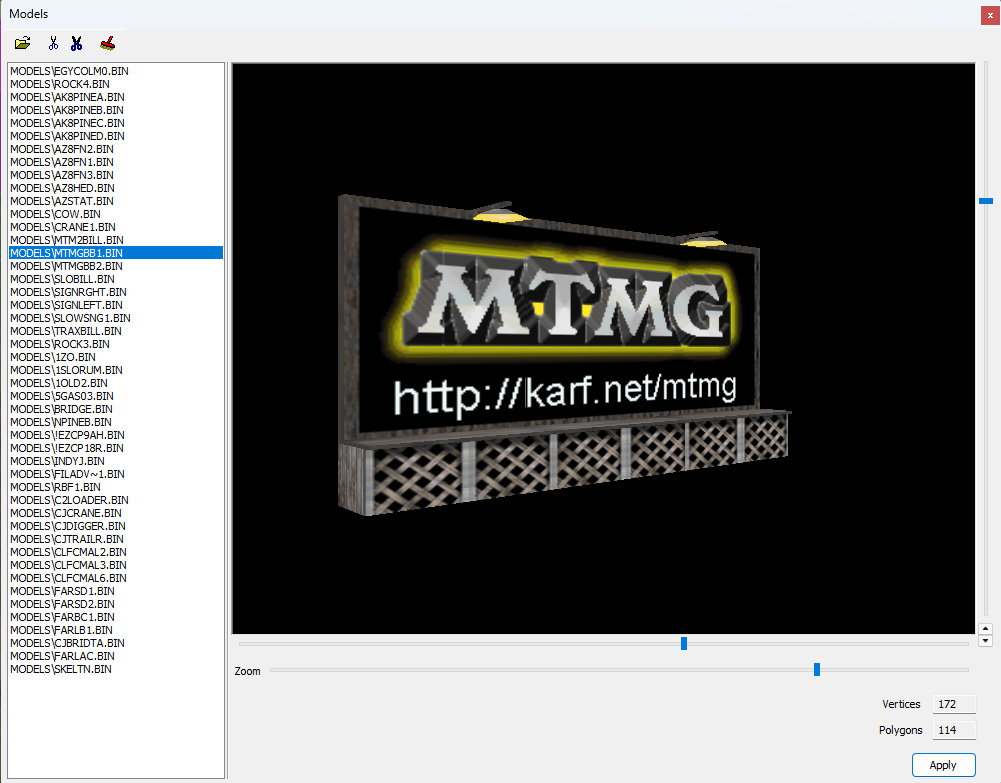
- The Models preview is drawn in OpenGL, framed to the model, with zoom.
- Sub-unit placement. X and Y carry a fraction the way height always
did, so objects sit to 1/256 of a unit — the engine's own resolution.
Shown in
.SITunits too, if you are comparing against the file. - Modern file dialogs — resizable, searchable, with the folders pane.
- An in-game info pop-up: a 640×480 photo and a description, both authored in Track Components.
- Track versioning — every pod records which Traxx built it, in
DATA\<stem>.TXV. - Cylinders, top-crush records, ramps and pod bitmap names were each being lost or quietly rewritten by a load and save. They survive now.
Download
Nothing to install and no support files. The Microsoft runtime is in the zip beside the program, and OpenGL is part of Windows — so the MFC and CRT packages the older versions needed are not used by this one.
Windows 10 and 11. 32-bit, which runs on 64-bit Windows too.
Sorry, there is still no setup program, but it is easy enough:
- Download the zip above.
- Make a folder for it — anywhere you like. If you are upgrading, use the one you already have.
- Unzip everything into that folder.
- Make a shortcut to
Traxx.exeon your desktop or start menu. - Point Traxx at your art before you start. Open View → Options, go to Folders, and set Art and Models to the folders you keep them in. Nothing will load until those two are right, and it is the one step people miss.
Learning it
Traxx School is the quick way in: seven short lessons that build one oval circuit with a couple of checkpoints, from an empty grid to something you can drive. The finished track is there to download at the end if you want to open it up and see how it went together.
The guild keeps the long-form course — Traxx at the MTMG, 71 pages organised by subject rather than as a walkthrough: the working area, textures, terrain, models, ground boxes, circuits and rallies, and the errors you will meet. That is the one to keep open beside you once you are building your own.
Start with the School. That is the guild's own advice, not just ours — its first page says that if you are an absolute beginner you should use the original Traxx School before delving too deeply into things there.
Both were written for an earlier Traxx, so neither covers the terrain detail maps, the HD art or Whole Grid. Everything else in them still stands.
Help and info
- The Traxx FAQ.
- A screenshot, longer description and system requirements.
- The MTM2 forum, for anything else.
Some tracks made with Traxx
- Cumbria 2.4 Mb
- Five tracks in one pod, all in the same world. Rally+ covers almost all of the terrain — a ten minute lap if you are good — and three more run on shorter segments of it. The fifth is a CNR version, with plenty of intersecting roadways.
- Vulture Peak 1.3 Mb
- Fast racing lines around a scenic road, with room to pass and some dirt alternates. Circling vultures, and a secret area where an uncomfortable Dr. Scrote is hiding out.
- Valley Of The Kings 2.3 Mb
- An Egyptian theme with tombs and pyramids, and quite a few textures — hence the size. Good for racing as well as looking at, with some tricky adverse cambers and jumps. There is a hidden tomb.
- Dr. Scrote's Volcano 1.0 Mb
- Made entirely in Traxx 1.2 plus a pile of TXBIN models. A long rally race that asks for a bit of everything.
- Chase The Dragon 914 Kb
- Made entirely in Traxx 1.2 beta, from scratch. A great one for serious racers, with some new sounds and animated graphics.
- The Lake 1.2 Mb
- Made in Traxx 1.1, from scratch, in two or three days — and a properly good track rather than a demo for the editor.
Other useful downloads
- MTM Screensaver 2.1 62 Kb
- Runs MTM2 and MTM1 tracks, with 3D accelerator support, a birds-eye view
option, music, backdrops, water and transparent models. Freeware. Unzip the
SCR into
C:\Windows, then pick it in Display Properties. - TXBIN 7 Kb
- Makes flat rectangular BIN models — the MTM2 trees, the flames in Dragon.pod. Supports animated and transparent textures: type the texture names and click Save.
- TraxxTemplates 2 21 Kb
- Traxx files with corners and other texture composites already built from the standard tracks, so you can copy and paste instead of building them. Models are pre-loaded. Contains C98 and Farm Road.
- Fixed Backdrops 11 Kb
- Replicas of the stock MTM2 backdrops, corrected to remove the hall-of-mirrors effect. Instructions in the zip. With many thanks to Oliver Pieper.
- TXRAW 1.11 9 Kb
- View
.rawfiles in Windows Explorer and copy them to the clipboard, with no palette conversion. Handles 16×16 to 512×512 8-bit colour, and 1024×1024 8-bit and 256×256 16-bit greyscale.
Older versions, and the runtime files they needed
Kept because they are not archived anywhere else. None of these files are needed for 1.6.5, which carries its own runtime.
- Traxx 1.5.12 beta 293 Kb
- February 2005.
- Traxx 1.4 246 Kb
- Fully functional, and the same build registered users already had —
so there is no need to download it again if you have it.
It still asks for a code on first run — it was built while
Traxx was still a paid program — and these are the ones to enter:
name
TRAXX, keyATOVBOGR. The original ReadMe is in the zip, registration notice and all. - MFC and CRT runtimes for the two above
- MFC42.zip ·
MFC71.zip ·
MSVCR71.zip ·
MSVCRT.zip
Unzip into your Traxx folder if you get “required DLL not found” or an MFC42.DLL error.